


Ask Me Anything - AI Chatbot
3.8438.00 Reviews
App Specs
- Version
- 2.0.2
- Updated On
- License
- Free
- Downloads
- 5,000,000+
- Developer
- EVOLLY HK
- Categories
- Productivity
- Platform
- Android
Screenshots
 Analysis by AppCompare
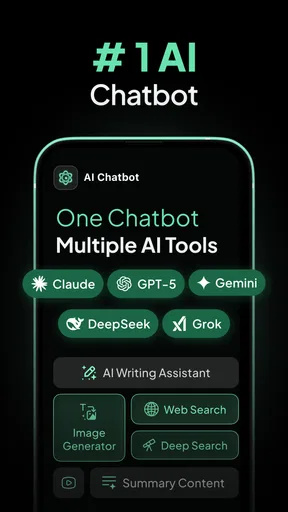
I often open an AI chat app with one small problem in mind: I need to get unstuck, but I don’t want to turn the moment into a whole research project. Ask Me Anything - AI Chatbot is built for that kind of quick back-and-forth, whether I’m looking for a fresh angle, a plain-language explanation, or a bit of light conversation. It is a free productivity app from EVOLLY HK, and its appeal is the low barrier to asking a question rather than a complicated setup.
Start with a question, not a perfect prompt
In everyday use, I would treat the chat box as a place to begin, not as a search engine that must receive exactly the right keywords. I might type a rough question, look at the response, then narrow the request: “make that shorter,” “give me a practical example,” or “suggest a different approach.” That follow-up is often where an AI assistant becomes more useful. The first answer gives me material; the next prompt helps shape it into something I can use.
A small but worthwhile habit is to explain the intended audience and outcome. If I’m drafting a note to a colleague, I can say whether I want it warm, concise, or more formal. If I’m brainstorming, I can ask for options that differ in tone or direction rather than accepting the first list. This keeps the conversation focused and reduces the chance that a fluent but generic reply will feel finished when it is only a starting point.
A realistic pocket-sized workflow
Imagine I’m waiting for an appointment and remember that I need to write a short description for a side project. I can ask for several possible angles, choose the one that fits, and then request a tighter version. Before using it, I still check whether the wording matches what I actually offer and remove anything that sounds too grand. The useful outcome is not that the assistant completes the whole task; it helps me move from a blank page to a draft I can judge.
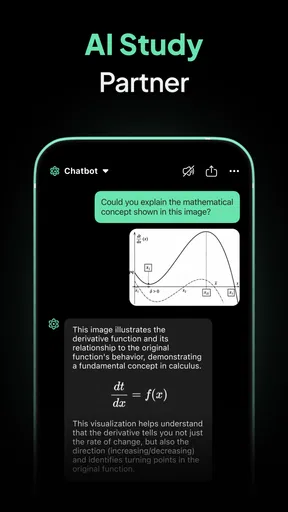
The same approach works for learning a topic. I can ask for a simple explanation, then follow up with a concrete example or a question about one confusing point. That is more productive than asking for a broad summary and assuming every detail is correct. For facts that matter, I would verify the answer through a dependable source rather than treating a confident response as proof.
Getting to Know Your New Chat Buddy
First things first, installing the app was a breeze. I hopped onto the App Store, searched for Ask Me Anything - AI Chatbot, and voilà, it was ready to go in no time. Once you fire it up, you're greeted with a clean and friendly interface. It’s like the app is saying, “Hey, ready to chat?”
The app boasts a simple layout, which is great if you're like me and appreciate a no-fuss design. You’ve got your chat screen front and center, and all the settings are tucked away neatly, so you won’t accidentally change something while you're typing up a storm.
Worth Reading Before You Choose

EA SPORTS FC Mobile 26 Is a Bigger Football Game, but It Takes Time

Flipboard Shows What News Apps Must Do Beyond the Feed

Switching to Android Auto Means Rethinking Your Driving Routine

Google Calendar Makes a Crowded Week Easier to Manage

Ludo King Makes the Most of the Minutes Between Plans

Baby Panda World Brings Quick Play to Modern Phones, but Its Game Library Feels Busy
Chatting Like a Pro
Now, onto the main event – the chatting. The AI is surprisingly engaging. I threw some random questions at it, from "What's the meaning of life?" to "Can you tell me a joke?" and it responded with a mix of humor and insight. It's like chatting with a friend who knows a little bit about everything.
One of the things I loved the most is the AI’s ability to learn from our conversations. The more you chat, the more it picks up on your preferences. It’s like having a conversation partner that actually gets better over time. Not to mention, it can handle a bunch of topics, so whether you're in the mood for deep philosophical discussions or just need to pass the time with some light chatter, it's got you covered.
Diving into the Features
Besides the amazing chat capabilities, this app is packed with features. There's a "Fun Mode" where the AI gets a bit more playful and cheeky. I tried it out and had a few laughs – highly recommended if you need a mood booster.
Another cool feature is the "Knowledge Mode". This is where the chatbot turns into a mini Google, answering questions with impressive accuracy. I tested it with some trivia questions, and it performed like a champ.
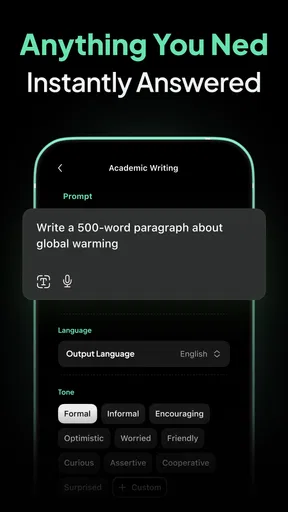
If you’re ever stuck on a project or need a creative spark, the "Idea Generator" feature is a lifesaver. I used it to brainstorm blog topics, and it churned out some pretty creative ideas.
Making the answer useful outside the chat
The handoff from an AI response to real work is where I’d be deliberate. If the app gives me a list of ideas, I can select one, ask for a rough outline, and then take that outline into my own notes or writing tool. I would not paste the first response straight into something important without checking its claims, tone, and fit. The assistant can help with momentum, but I remain responsible for the final version.
For a busy day, I find it helpful to keep each exchange narrow. Asking for a meeting agenda, for example, is easier to evaluate than asking the chatbot to plan an entire project without context. I can add the meeting’s purpose and the decisions I need, then review the suggested points and remove anything irrelevant. This approach also makes it easier to notice when the app has misunderstood the request: the mismatch shows up in a small answer rather than being buried in a long plan.
There is a trade-off between convenience and verification. A chatbot can turn a question into readable prose quickly, but that smooth delivery can make a weak or mistaken answer sound more dependable than it is. I use it for first drafts, explanations, and options, not as the final authority on health, legal, financial, or other high-stakes decisions. When accuracy has consequences, the extra step of checking a qualified source is part of the workflow, not an inconvenience to skip.
How it fits beside other tools
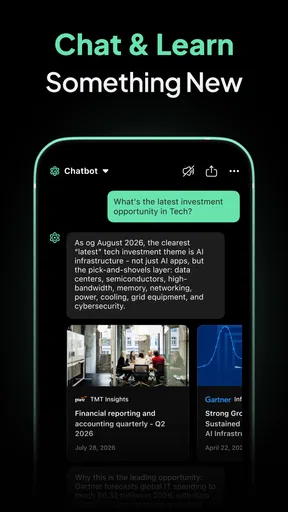
Compared with a conventional web search, a conversational assistant is better when I need an explanation shaped around follow-up questions or want help reworking an idea. A search engine is the better choice when I need to inspect original sources, compare current information, or see where a claim came from. I would use each for what it does well: ask the chatbot to clarify a concept, then search for reliable references if the answer will guide a decision.
Compared with a notes or writing app, this chatbot is more useful for generating possibilities than for keeping a carefully organized record of my work. I would draft and refine a short passage here, then move the useful result into the place where I manage the project. If I need a tool built around structured documents, task tracking, or source citations, a dedicated app is likely a better fit. Ask Me Anything works best as a flexible helper alongside those tools, rather than a replacement for all of them.
It suits curious users, people who want a quick creative nudge, and anyone who enjoys conversational answers without first learning a complex interface. I would be more cautious about recommending it to someone who needs consistently sourced research, precise professional output, or a dependable archive of project material. In those cases, a specialist product or direct research may save time in the long run.
What to expect from the free starting point
The app is free to try, while in-app purchases range from $2.99 to $114.99 per item. I would begin with the free experience and see whether the chat style and available tools genuinely fit my routine before considering any purchase. Paid options can represent a meaningful difference in spending, so I would check the current in-app details carefully and decide based on a clear need rather than assuming an upgrade is essential.
It is rated for Everyone, which makes the age classification broad, but that does not make every AI answer suitable for every situation or age. I would still use ordinary judgment about the questions being asked and review answers with younger users when the topic calls for it. For anyone wondering whether they need technical knowledge to get started, I don’t think so: the conversational format is approachable, and clearer prompts mainly improve the usefulness of the results.
Where the flow can break
The app is not a substitute for checking information, and a natural-sounding reply can still miss the point or include errors. If the answer is vague, I would ask for a specific example or restate the task with the constraints that matter. If it continues to drift, I would stop trying to rescue that exchange and use a more appropriate source or specialist tool instead. Knowing when to switch is part of using an AI assistant well.
Another limitation is that a chat can feel personal without being a human conversation. I enjoy the playful exchanges, but I would not rely on the app for emotional support in place of a trusted person or professional help. Likewise, I would avoid sharing sensitive information unless I had a clear reason and understood the app’s current privacy terms. Keeping prompts general is often enough to get useful help without putting unnecessary personal details into a chat.
EVOLLY HK’s app has an average rating of 4.1 from around 21,000 ratings, and it has been installed over 5 million times. It launched on February 21, 2023, and version 1.9.5 supports Android 6.0 and later. Those figures suggest it has found a sizable audience, but they don’t tell me whether it matches my own needs; the best test is whether its answers help me complete real, low-risk tasks with less friction.
Why You Should Give It a Go
So, why should you download Ask Me Anything - AI Chatbot? Well, it's like having a smart, entertaining companion that you can take anywhere. Whether you’re bored in a waiting room or just need someone to bounce ideas off, this app is a game-changer.
The intuitive design makes it easy for anyone to start chatting right away, and the variety of modes keeps things fresh. Plus, knowing that the AI learns and adapts to your style makes every conversation feel more personal.
Overall, if you're looking for an app that offers both entertainment and utility, this one is a must-try. So go on, give it a download and start asking away!
My practical recommendation
I’d give it a try if I wanted an approachable assistant for brainstorming, casual questions, or turning a rough thought into a workable first draft. I would keep expectations grounded: treat its answers as suggestions, verify anything important, and move finished work into the tools I already trust. That balance lets the app be useful without asking it to do jobs it is not designed to handle.
For someone who mainly wants authoritative research, citations, or a structured workspace, I’d choose a more specialized alternative. For someone who wants to ask a question in ordinary language and refine the reply through conversation, this is an easy place to start. Its strongest role is not replacing search, writing, or judgment, but helping me take the next small step when I’m unsure how to begin.
Pros
- User-friendly interface for easy navigation.
- Quick responses and accurate answers.
- Supports multiple languages seamlessly.
- Customizable chatbot settings.
- No login required for basic use.
Cons
- Occasional connectivity issues.
- Limited free access to premium features.
- Responses can lack depth at times.
- Advertisements can be intrusive.
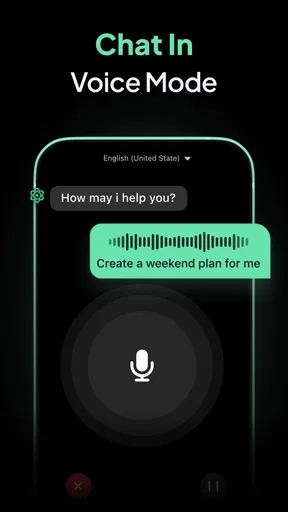
- Voice input may not always be accurate.
FAQs for Ask Me Anything - AI Chatbot
What features does Ask Me Anything - AI Chatbot offer?
Ask Me Anything - AI Chatbot provides a range of features designed to enhance user interaction. It includes natural language processing to understand and respond to queries, personalized suggestions based on user preferences, and a user-friendly interface. Additionally, it supports multiple languages and continuous learning to improve its accuracy and relevance over time.
Is Ask Me Anything - AI Chatbot free to use?
Ask Me Anything - AI Chatbot offers both free and premium options. The free version includes essential features and limited daily queries, while the premium version provides unlimited access, priority support, and enhanced customization options. Users can choose the plan that best suits their needs based on their usage requirements.
How secure is the data managed by Ask Me Anything - AI Chatbot?
The app prioritizes user privacy and data security. It uses advanced encryption to protect personal information and follows strict data privacy regulations. Users can also customize their privacy settings within the app to control what data is stored and shared, ensuring a secure and trustworthy experience.
Can Ask Me Anything - AI Chatbot be integrated with other apps?
Yes, Ask Me Anything - AI Chatbot can be integrated with various apps and platforms. It offers API support for seamless integration with other applications, enabling users to enhance their existing workflows. This flexibility allows for a more cohesive and efficient user experience across different tools.
What kind of support is available for Ask Me Anything - AI Chatbot users?
Users have access to robust support options, including a comprehensive help center, detailed FAQs, and community forums. Premium users receive priority support, including direct access to customer service representatives through chat or email. The app also offers regular updates and tutorials to help users maximize its potential.


